My Mac mini Has Been Running as My Personal Server for the Past 5 Months
Can you get emotionally attached to a server? Yes obviously you can. I had a Scaleway VPS for more than four years. I paid around SGD 15 a month to keep it alive. I used to do all sorts of experiments on that. The day I turned off the instance and deleted my Scaleway account, I felt a little sad. It’s almost like losing a friend. Though the VPS wasn’t perfect but it grew on me. Such a weird feeling! Then I switched to a different platform for few weeks, but eventually moved away from that as well. Anyway, this post is not about attachments to cloud servers. It’s about my next solution, an Apple Mac Mini.
The Math
As I mentioned above, I had been running the Scaleway VPS for 4 years, and I paid SGD 15 a month. Then I must have paid around SGD 720 for the VPS. As far as I remember, the VPS instance had 2 vCPU, 2GB RAM and 30GB storage. On the other hand, I spent SGD 349 on the brand new Mac Mini from my pocket and offset the rest of the amount using credit card points.
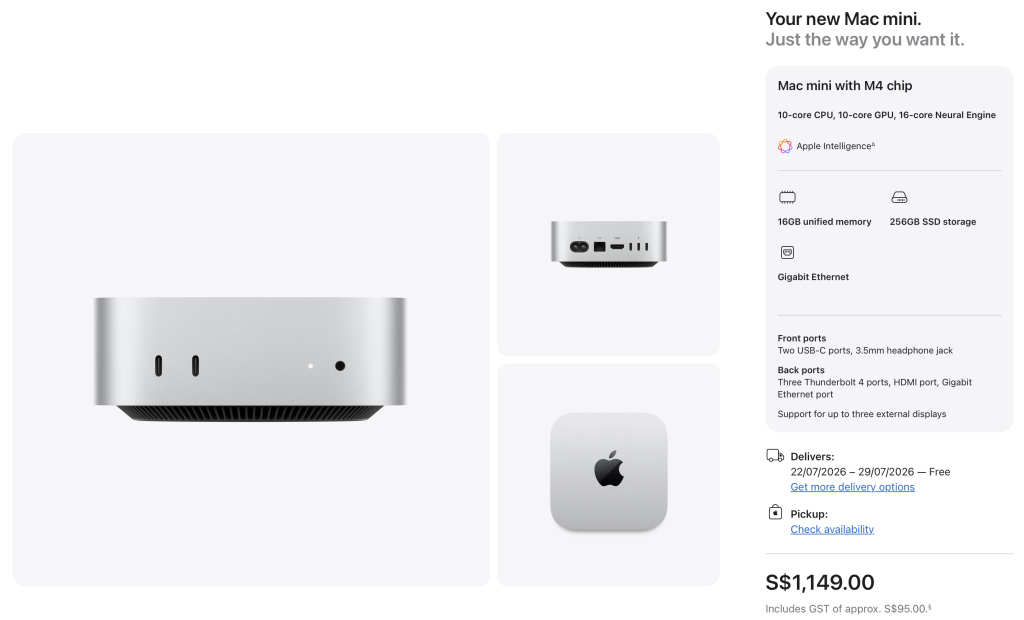
The Mac Mini has a M4 chip, 16GB RAM & 256GB storage. If I had paid the full price, I would have to pay SGD 778.90 to be precise. How much is the price today is shocking. A 47% increase in 5 months! Pfft! It needs a separate discussion.
Back to the math. Let’s find the electricity consumption of the Mac Mini if it runs 24/7 as a server. Assuming Singapore’s current residential tariff of about 31.91 cents/kWh (before GST) from July–September 2026 (roughly 34.8 cents/kWh including 9% GST), here’s what I can expect.
| Average Power Draw | Energy per Month | Monthly Cost | Yearly Cost |
|---|---|---|---|
| 5 W (mostly idle) | 3.6 kWh | ~S$1.25 | ~S$15 |
| 8 W (light server use) | 5.8 kWh | ~S$2.00 | ~S$24 |
| 10 W (moderate use) | 7.2 kWh | ~S$2.50 | ~S$30 |
| 20 W (heavier workloads) | 14.4 kWh | ~S$5.00 | ~S$60 |
If I consider my Scaleway’s total bill SGD 720 for 4 years, as a budget, and I subtract my SGD 349 as the Mac Mini cost, then I still have SGD 371 for electricity cost. Theoretically I can run my Mac Mini server for more than 6 years if I assume that it’s gonna have constant heavier workloads. Usually that’s not the case. Doesn’t matter what kind of workload it’s gonna have, I considered it as a cost effective option.
So this year in the beginning of the February, I purchased the M4 Mac Mini.
What’s the job of the Mac Mini as the personal server?
I would like to answer the big question here first. Why do I even need a personal server? Well I build a lot of software engineering pet projects (checkout my github) where sometimes I need a back-end for the databases, APIs, file storages etc. For a professional project, I don’t recommend using a Mac Mini as the server, lol. Go for a managed service to reduce your headache. For pet projects, you can have the wildest solution. So I moved some of the personal services from my previous Scaleway VPS (RIP) to my Mac Mini. The Mac Mini is always plugged in, connected to the internet and sitting on my desk.
For now, my front-ends depend on the managed databases, so even if the Mac Mini dies, the applications will still be alive with old data. This works till I need REST APIs. Well, may be I will just get some managed service, like Cloud Functions. For now, I like how things are working. Currently I have few back-end services which are running on Docker on the Mac Mini. Every few minutes, the services do some things automatically. Some services extract data from different places, some services use other AI service/model to make sense out of the extracted data, some services write those analysed data to a managed database or email me. It’s the same pattern everywhere. For example, Raven is one of my pet projects. There’s a web app and an Android app (unreleased), which queries a managed database for latest news. The front-end clients, blindly relies on the database that there will always be new data. On the Mac Mini, there is a Python based news curation service for Raven running 24/7. Every few hours, it scraps news from different news portals. It uses the locally installed Ollama model, to analyse how important the news based on the titles, contents etc. and upload the news into the managed database in a cloud service. The project has its local PostgreSQL to cache all the extracted news for few days for deduplication. So the Mac Mini will tirelessly do the same thing. All the other projects have the same setup.
Does it get hot?
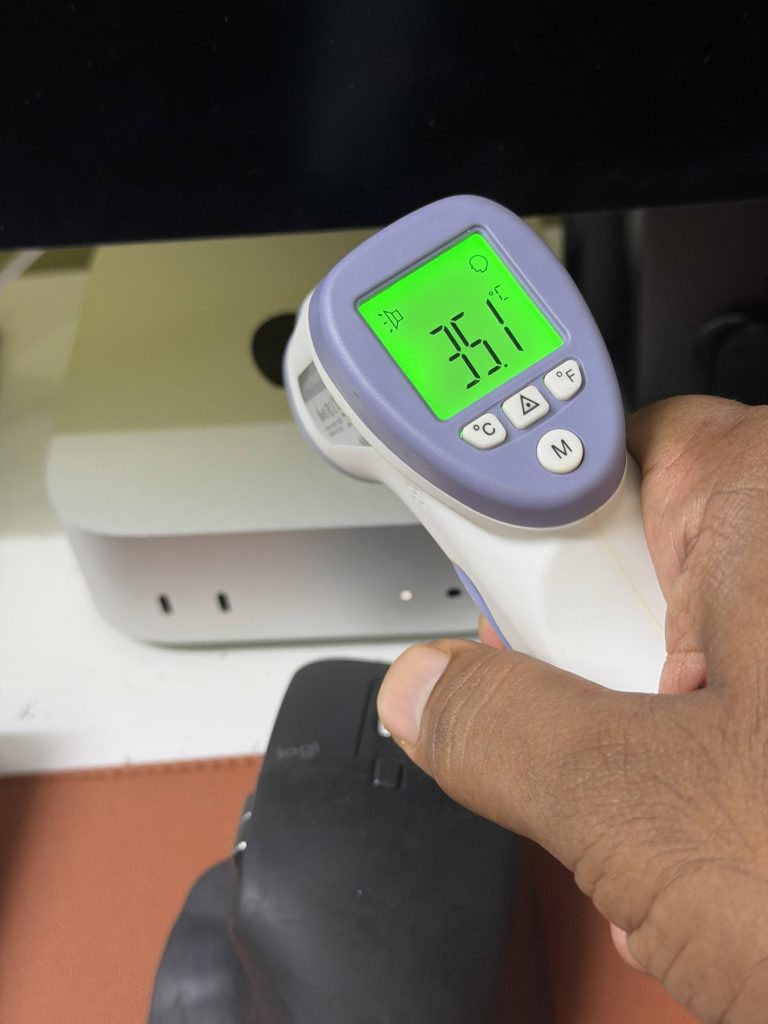
Absolutely not. After running the Mac Mini for more than two months, I checked the temperature. It was running dead cold, the surface temperature was 35.1°C.
How do I connect to the Mac Mini?
I haven’t full on geeked out with that yet. Since the Mac Mini is sitting right on my desk, I can always connect it to my monitor and use keyboard-mouse from the desk. That’s actually the worse case scenario. Usually I use JumpDesktop. I can remotely connect to my Mac Mini from my laptop, iPad or phone using the JumpDesktop’s client side apps. There are cases where I directly wrote code in the repos using my iPad through JumpDesktop. I tried vibe coding with Claude Code Mobile on my phone where the Claude Code on the Mac Mini was doing the real magic. This is something really really nice to have haha. I am fine with building everything on the laptop and update the services manually. Haven’t thought about the CI/CD yet.
Other apps I use for the Mac Mini
I already mentioned JumpDesktop above. It’s an excellent tool to remotely connect to the Mac Mini. Otherwise, I use an app called BetterDisplay to create a virtual screen and control the resolutions as I want. Pretty helpful for connecting through the iPad. Then I use Amphetamine to keep the Mac Mini awake all the time.
This is all I have about the Mac Mini which is working as my personal server. I hope to write more about it later. That’s all for now!